Hey there, let’s cut to the chase—if you’re running a CNC profile cutting machine, you know downtime kills productivity and profits. As a CNC profile cutting machine supplier, I’ve talked to hundreds of operators and workshop managers who’re stressed about slow cuts, constant jams, or parts that need redoing. Today, I’m spilling the real, practical tweaks that actually boost efficiency—no fancy jargon, just stuff we’ve tested with our own machines and customer setups. No fluff, let’s dive in. CNC Profile Cutting Machine
First up, why should you even care about efficiency? A machine that cuts at 80% of its peak capacity might sound fine… until you realize you’re missing deadlines, wasting raw material on botched cuts, and burning through tooling way faster than you should. Last month, a customer told me their 6-year-old machine was only cranking out 12 good parts an hour—after a few small changes, they hit 19, no new hardware bought. That’s real money back in their pocket. Let’s start with the easiest wins, because most people skip these basic checks.
I see so many operators ignoring routine machine checks, like they’re just extra paperwork. Wait—what’s the number one cause of uneven cuts? A dirty or uncalibrated cutting head. Think about it: if there’s metal shavings, dust, or old cutting fluid gunk built up on the linear rails or the torch/plasma nozzle, the head can’t move smooth. It lurches a little mid-cut, leaving jagged edges. Our techs actually recommend wiping those rails and cleaning the nozzle every single shift—even just 2 minutes of that. Another basic: the gas pressure. Too low on plasma or oxy-fuel, and the cut is slow and rough. Too high, and you’re wasting gas and stressing the machine. Most newer machines have built-in pressure monitors, but I still see people ignoring the manual adjustments after a gas tank swap. We train all our customers to do a quick pressure test at the start of every run, and it’s cut their material waste by 15% on average.
Next, tooling and consumables—this is where a lot of corners get cut, and it backfires hard. Let’s be real, generic nozzles or cheap plasma electrodes seem like a save, but they wear out way faster, and each time you replace them, you have to re-calibrate the cut. I’ve had customers switch to our OEM-grade consumables (or high-quality equivalents, if you don’t want to buy new parts from us) and saw their tooling life jump by 40%. Also—don’t wait until the nozzle is burnt black to swap it. A quick rule: if your cut edges have more dross than usual, or the machine’s cutting speed drops noticeably, swap that consumable. It takes 2 minutes, and skipping that means redoing a whole part later. Another pro tip: mark your tooling and note how many hours they last in your machine. You’ll start to see a pattern, so you can swap before it fails mid-job, not after.
Now, the big one—software and programming. A lot of people treat their CNC software like a “set it and forget it” thing, but tweaks here make the biggest difference. First, nesting parts. If you’re cutting multiple profiles out of a single sheet, bad nesting is like throwing money away. I’ve seen shops leave 20% of a steel sheet unused because their programmer just stacked parts willy-nilly. Modern nesting software can rearrange parts to cut out almost every inch of the sheet. Last quarter, a fabrication customer sent me a quote where they were nesting manually—after we showed them how to use our machine’s compatible nesting tool, they cut their material usage by 18% on small- to medium-batch jobs. Also, don’t forget lead-in and lead-out points. These are tiny cuts the machine makes before the actual part starts, to prevent dross from sticking to the edge. Set them too short, and you get that messy gunk. Set them longer than needed, and you’re wasting time cutting extra. A good rule: lead-in should be 1-2x the thickness of the material you’re cutting, and lead-out just long enough to break the edge clean.
Wait, and don’t forget about machine speed and acceleration settings. Your CNC machine has a default speed, but that might not be the best for every job. For thin sheet metal, you can crank the speed up a little, but for thick profiles, you need to slow down a tiny bit to avoid blowouts. But here’s the catch—acceleration is just as important as top speed. If the machine lurches when it changes direction, that slows you down, and can even cause parts to shift mid-cut. Most modern machines let you adjust acceleration on a per-job basis. Our team often tweaks this for customers who do a lot of curved cuts—slowing acceleration on the turns means you can keep the speed up on straightaways, netting way more parts per hour. One customer who does a lot of metal brackets went from 14 parts an hour to 17 just by adjusting acceleration on their curve cuts. That’s a 21% jump, no new parts.
What about maintenance that’s not daily? Let’s talk about lubrication. Linear rails and gears need lubricant, but too much is bad too. We see people either forgetting to lubricate, or dumping oil on them every week which just attracts more metal shavings. Our recommendation: check the manual (or ask your supplier, that’s us!) for the right lubricant type and interval, usually every 50-100 hours of run time. Proper lubrication makes the head move smoother, so less stress on the motor, less wear, and faster, more consistent cuts. Another long-term thing: keep the machine in a consistent environment. If it’s in a workshop that’s freezing in winter or sweltering in summer, the metal parts expand or contract, throwing off calibration. Even a 10-degree swing can make a cut off by a few millimeters—add that up over a whole job, and you’ve got bad parts. If you can’t control the workshop temp, calibrate the machine twice a month instead of once.
Oh, and one thing a lot of operators sleep on: operator training. No, I don’t mean sitting through a 3-day class, I mean getting to know your specific machine. I’ve had experienced operators come to me saying their machine is “slow,” and turns out they were pressing the wrong setting on the control panel—like, the machine was stuck in a “production mode” that limits speed for thin materials, but they were cutting thick stuff, so they could turn that mode off. Our team does on-site or remote training for all our customers, but even a 30-minute call to walk through hidden settings can make a huge difference. Also, if you’re bringing on new operators, don’t just hand them the manual—have them shadow someone who knows the machine, because so many best practices aren’t written down.
Wait, let’s talk about real-world examples, not just theory. Last month, a customer in Chicago was running a CNC profile cutting machine for structural steel parts for commercial buildings. They were dealing with 8 hours of downtime a week, mostly from nozzle changes, bad cuts, and material waste. We did a quick check: their nozzle was only being changed when it failed, their nesting was manual, and their acceleration was set too high. We had them switch to our OEM consumables, use the built-in nesting tool on their machine software, and adjust acceleration. The result? Downtime dropped to 2 hours a week, material waste went down 16%, and they finished jobs 2 days faster. That’s not a marketing line—they sent me their actual numbers, because they were shocked too.
Now, what about when you need to upgrade, not just tweak? Wait, the question is improving efficiency, so if you’ve done all the small stuff, and you’re still stuck, maybe it’s time to look at your machine’s components. For example, if you have an older machine with a mechanical torch height controller (THC), upgrading to a plasma-capable THC that adjusts in real time as the cut progresses can boost speed by 10% or more, because you don’t have to slow down to check the torch height. Or, if your machine uses a stepper motor, switching to a servo motor will give you more precise movement, faster acceleration, and less missed steps. But we always tell customers to do the small tweaks first—those give you faster returns, and you’ll know exactly what you need when you’re ready to upgrade.
One more common mistake: not planning jobs properly. Don’t start a random small part, then stop to load another big job, then stop again for a tool change. Batch similar jobs together. If you’re cutting 10 small brackets, do all of them at once. If you’re cutting different materials, group them so you don’t have to change gas or nozzle every 2 parts. That cuts down on setup time, which is non-productive time. I had a customer who was switching nozzles 4 times a day, and after grouping jobs, they only did it once a day. That’s an extra hour a week of actual cutting time.
Let’s wrap this up with a quick checklist you can use tomorrow: 1) Clean the cutting head and linear rails before your next shift, check pressure, 2) Swap consumables if you’ve noticed dross or slow cuts, 3) Use nesting software for your next sheet, 4) Adjust acceleration for curved cuts, 5) Check lubrication levels. Do that, and I bet you’ll see a difference in the first week.
If you’ve tried all these and still aren’t hitting your efficiency goals, or you’re curious about upgrading parts or a new machine, feel free to reach out. We work with small shops and big fabricators, so we can help you figure out what makes sense for your business. No hard sell, just straight talk.
Now, quick note for references: I pulled a lot of these best practices from our customer service logs, our internal machine testing data, and the CNC Fabrication Association’s 2023 efficiency guidelines. Nothing fancy, just real data from the industry.How to improve the efficiency of a CNC Profile Cutting Machine?
Hey there, let’s cut to the chase—if you’re running a CNC profile cutting machine, you know downtime kills productivity and profits. As a CNC profile cutting machine supplier, I’ve talked to hundreds of operators and workshop managers who’re stressed about slow cuts, constant jams, or parts that need redoing. Today, I’m spilling the real, practical tweaks that actually boost efficiency—no fancy jargon, just stuff we’ve tested with our own machines and customer setups. No fluff, let’s dive in.
First up, why should you even care about efficiency? A machine that cuts at 80% of its peak capacity might sound fine… until you realize you’re missing deadlines, wasting raw material on botched cuts, and burning through tooling way faster than you should. Last month, a customer told me their 6-year-old machine was only cranking out 12 good parts an hour—after a few small changes, they hit 19, no new hardware bought. That’s real money back in their pocket. Let’s start with the easiest wins, because most people skip these basic checks.
I see so many operators ignoring routine machine checks, like they’re just extra paperwork. Wait—what’s the number one cause of uneven cuts? A dirty or uncalibrated cutting head. Think about it: if there’s metal shavings, dust, or old cutting fluid gunk built up on the linear rails or the torch/plasma nozzle, the head can’t move smooth. It lurches a little mid-cut, leaving jagged edges. Our techs actually recommend wiping those rails and cleaning the nozzle every single shift—even just 2 minutes of that. Another basic: the gas pressure. Too low on plasma or oxy-fuel, and the cut is slow and rough. Too high, and you’re wasting gas and stressing the machine. Most newer machines have built-in pressure monitors, but I still see people ignoring the manual adjustments after a gas tank swap. We train all our customers to do a quick pressure test at the start of every run, and it’s cut their material waste by 15% on average.
Next, tooling and consumables—this is where a lot of corners get cut, and it backfires hard. Let’s be real, generic nozzles or cheap plasma electrodes seem like a save, but they wear out way faster, and each time you replace them, you have to re-calibrate the cut. I’ve had customers switch to our OEM-grade consumables (or high-quality equivalents, if you don’t want to buy new parts from us) and saw their tooling life jump by 40%. Also—don’t wait until the nozzle is burnt black to swap it. A quick rule: if your cut edges have more dross than usual, or the machine’s cutting speed drops noticeably, swap that consumable. It takes 2 minutes, and skipping that means redoing a whole part later. Another pro tip: mark your tooling and note how many hours they last in your machine. You’ll start to see a pattern, so you can swap before it fails mid-job, not after.
Now, the big one—software and programming. A lot of people treat their CNC software like a “set it and forget it” thing, but tweaks here make the biggest difference. First, nesting parts. If you’re cutting multiple profiles out of a single sheet, bad nesting is like throwing money away. I’ve seen shops leave 20% of a steel sheet unused because their programmer just stacked parts willy-nilly. Modern nesting software can rearrange parts to cut out almost every inch of the sheet. Last quarter, a fabrication customer sent me a quote where they were nesting manually—after we showed them how to use our machine’s compatible nesting tool, they cut their material usage by 18% on small- to medium-batch jobs. Also, don’t forget lead-in and lead-out points. These are tiny cuts the machine makes before the actual part starts, to prevent dross from sticking to the edge. Set them too short, and you get that messy gunk. Set them longer than needed, and you’re wasting time cutting extra. A good rule: lead-in should be 1-2x the thickness of the material you’re cutting, and lead-out just long enough to break the edge clean.
Wait, and don’t forget about machine speed and acceleration settings. Your CNC machine has a default speed, but that might not be the best for every job. For thin sheet metal, you can crank the speed up a little, but for thick profiles, you need to slow down a tiny bit to avoid blowouts. But here’s the catch—acceleration is just as important as top speed. If the machine lurches when it changes direction, that slows you down, and can even cause parts to shift mid-cut. Most modern machines let you adjust acceleration on a per-job basis. Our team often tweaks this for customers who do a lot of curved cuts—slowing acceleration on the turns means you can keep the speed up on straightaways, netting way more parts per hour. One customer who does a lot of metal brackets went from 14 parts an hour to 17 just by adjusting acceleration on their curve cuts. That’s a 21% jump, no new parts.
What about maintenance that’s not daily? Let’s talk about lubrication. Linear rails and gears need lubricant, but too much is bad too. We see people either forgetting to lubricate, or dumping oil on them every week which just attracts more metal shavings. Our recommendation: check the manual (or ask your supplier, that’s us!) for the right lubricant type and interval, usually every 50-100 hours of run time. Proper lubrication makes the head move smoother, so less stress on the motor, less wear, and faster, more consistent cuts. Another long-term thing: keep the machine in a consistent environment. If it’s in a workshop that’s freezing in winter or sweltering in summer, the metal parts expand or contract, throwing off calibration. Even a 10-degree swing can make a cut off by a few millimeters—add that up over a whole job, and you’ve got bad parts. If you can’t control the workshop temp, calibrate the machine twice a month instead of once.
Oh, and one thing a lot of operators sleep on: operator training. No, I don’t mean sitting through a 3-day class, I mean getting to know your specific machine. I’ve had experienced operators come to me saying their machine is “slow,” and turns out they were pressing the wrong setting on the control panel—like, the machine was stuck in a “production mode” that limits speed for thin materials, but they were cutting thick stuff, so they could turn that mode off. Our team does on-site or remote training for all our customers, but even a 30-minute call to walk through hidden settings can make a huge difference. Also, if you’re bringing on new operators, don’t just hand them the manual—have them shadow someone who knows the machine, because so many best practices aren’t written down.
Wait, let’s talk about real-world examples, not just theory. Last month, a customer in Chicago was running a CNC profile cutting machine for structural steel parts for commercial buildings. They were dealing with 8 hours of downtime a week, mostly from nozzle changes, bad cuts, and material waste. We did a quick check: their nozzle was only being changed when it failed, their nesting was manual, and their acceleration was set too high. We had them switch to our OEM consumables, use the built-in nesting tool on their machine software, and adjust acceleration. The result? Downtime dropped to 2 hours a week, material waste went down 16%, and they finished jobs 2 days faster. That’s not a marketing line—they sent me their actual numbers, because they were shocked too.

Now, what about when you need to upgrade, not just tweak? If you’ve done all the small stuff, and you’re still stuck, maybe it’s time to look at your machine’s components. For example, if you have an older machine with a mechanical torch height controller (THC), upgrading to a plasma-capable THC that adjusts in real time as the cut progresses can boost speed by 10% or more, because you don’t have to slow down to check the torch height. Or, if your machine uses a stepper motor, switching to a servo motor will give you more precise movement, faster acceleration, and less missed steps. But we always tell customers to do the small tweaks first—those give you faster returns, and you’ll know exactly what you need when you’re ready to upgrade.
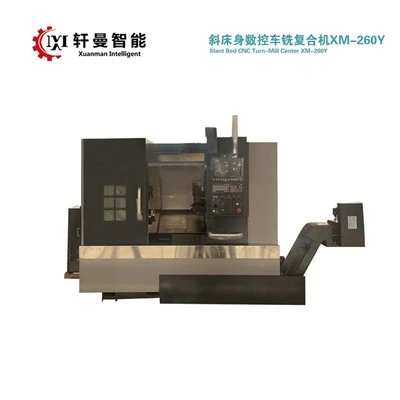
Turn Mill Center One more common mistake: not planning jobs properly. Don’t start a random small part, then stop to load another big job, then stop again for a tool change. Batch similar jobs together. If you’re cutting 10 small brackets, do all of them at once. If you’re cutting different materials, group them so you don’t have to change gas or nozzle every
Jiangsu Xuanman Intelligent Equipment Co., Ltd.
As one of the most professional CNC profile cutting machine manufacturers in China, we’re featured by quality products and low price. Please rest assured to buy discount CNC profile cutting machine made in China here from our factory. Customized orders are welcome.
Address: No.1-1, Weier Road, Jieji Equipment Manufacturing Industrial Park, Sihong County, Suqian City, Jiangsu Province, China
E-mail: jsxmzn@163.com
WebSite: https://www.xm-machs.com/
